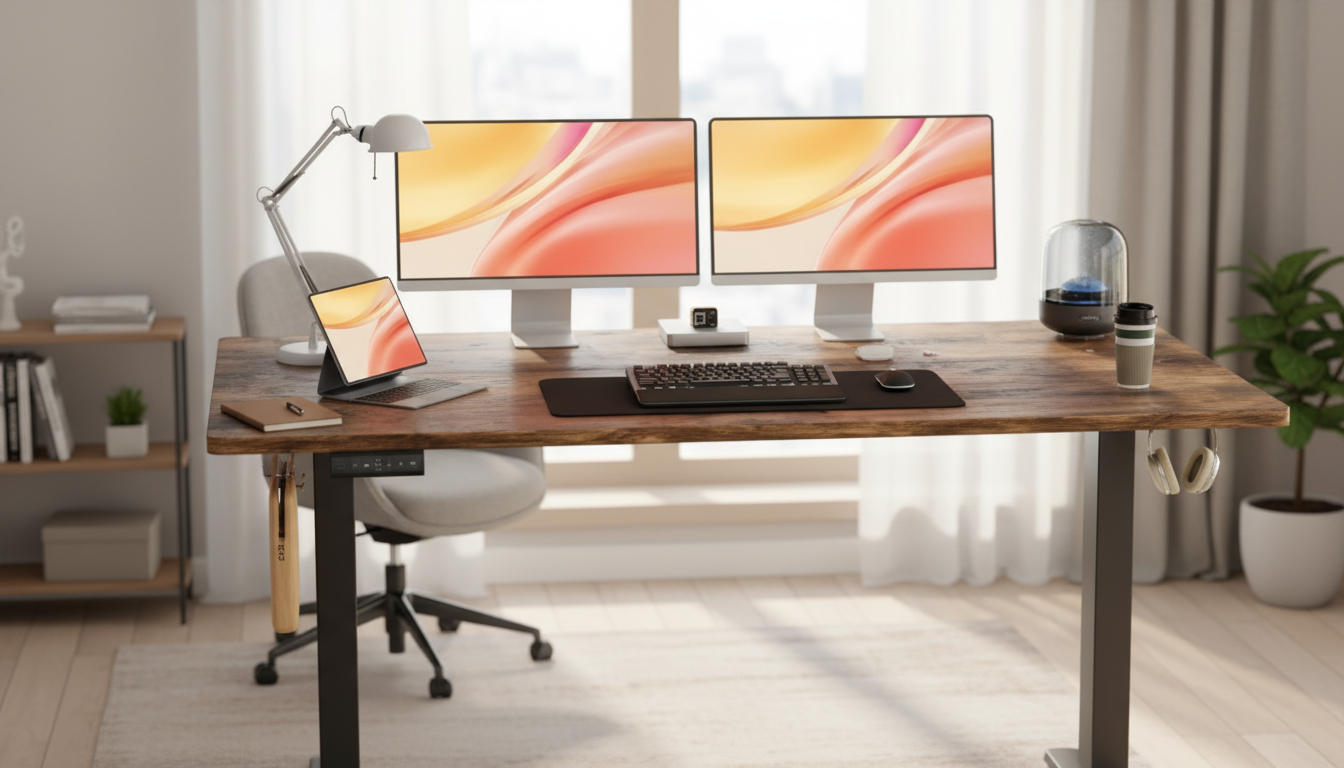
An electric standing desk can make it easier to alternate between sitting and standing, reduce static posture, and keep a workspace adaptable for different tasks. This 55×24 inch electric height adjustable desk is designed to provide a practical work surface while offering smooth height changes for day-to-day comfort and workflow.
If the goal is a straightforward sit-stand routine without rebuilding an entire room, the Electric Height Adjustable Standing Desk 55×24 Inch Ergonomic Work Table offers a balanced footprint: large enough for real work, compact enough for many home layouts.
A 55×24 desktop hits a practical “middle zone” for many people: wide enough to support common screen setups and still leave usable space for notebooks, a drink, or a small desk organizer. The 24-inch depth generally keeps your monitor at a comfortable viewing distance while leaving room to rest your forearms without feeling crowded.
| What to measure | Recommended allowance | Why it matters |
|---|---|---|
| Wall width or desk alcove | At least 56–60 in | Prevents the desktop from rubbing walls and leaves room for cable access |
| Depth from wall to walkway | At least 26–30 in | Allows monitor distance and avoids cramped legroom |
| Chair pull-back space | 18–24 in behind the chair | Makes sitting transitions easier |
| Power outlet access | Within cord reach | Avoids extension-cord clutter and trip hazards |
Electric adjustment shines when it reduces friction. When moving between sitting and standing feels quick and predictable, posture changes happen more often—and that’s where many people notice comfort benefits over long days.
A practical tip: set your “sit height” and “stand height” once, then treat them like presets even if the desk doesn’t store them automatically. Consistency helps your shoulders, wrists, and neck settle into a repeatable, comfortable alignment.
Good ergonomics is less about a perfect posture and more about a setup that keeps you neutral and lets you move regularly. Authoritative guides like the OSHA Computer Workstations eTool and the Mayo Clinic office ergonomics guide emphasize monitor position, neutral wrists, and frequent adjustment.
For standing work, a small change that often helps is lowering the desk slightly compared to your “ideal” elbow angle at first. Many people unconsciously tense their shoulders when they stand; a touch lower can reduce shrugging until standing feels natural.
Stability and surface durability are where a standing desk feels “premium” in everyday use. Even with a smooth motor, a wobbly standing height can make typing feel imprecise and can amplify monitor shake—especially with monitor arms.
Day-to-day practicality includes how easily you can keep the surface clean. If your setup includes snacks, coffee, or craft tools, a quick cleanup routine helps protect the finish. For fast pickups around and under the desk—especially near cable runs—consider pairing your workstation with the Powerful Cordless Handheld Vacuum Cleaner with LED Light & 40-Min Runtime.
Often, yes—two typical 24–27 inch monitors can fit on a 55-inch desktop, especially if their stands are compact. If the bases take up too much space, a dual monitor arm can free up room for your keyboard, mouse, and writing space while keeping screens positioned comfortably.
Many people feel best alternating in smaller blocks—roughly every 20–60 minutes—based on comfort and workload. The goal is regular movement and neutral posture, not standing all day; switch when you notice fatigue, stiffness, or shoulder tension.
Some movement can happen, but wobble is heavily influenced by floor leveling, fully tightened bolts, and how weight is distributed on the desktop. Keep heavier items closer to the legs, avoid overextended monitor arms if possible, and re-check fasteners after about a week of use to improve stability.






Leave a comment