Home Office Decor Ideas for Focus, Comfort, and Style
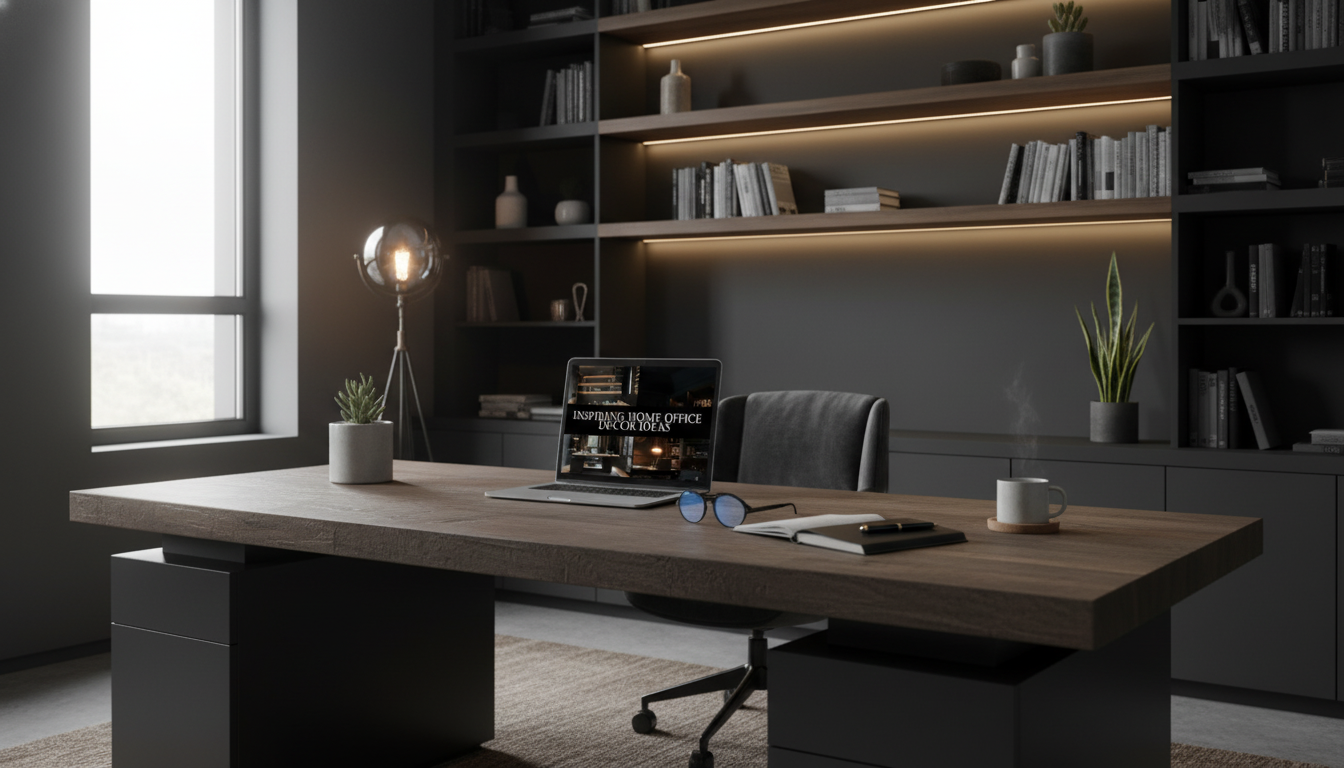
Inspiring Home Office Decor Ideas That Boost Focus, Comfort, and Personal Style
A home office works best when it supports clear thinking, comfortable posture, and a look that feels like it belongs to the person using it. The easiest way to get there is to organize decor decisions into practical zones—work surface, lighting, storage, and mood—so the space looks intentional while staying easy to maintain. Use the ideas below to build a workspace that feels calm, functional, and motivating day after day.
Start With a Purpose-First Layout (Before Buying Anything)
Before picking colors or accessories, decide what the room needs to do most often. A layout that matches your daily rhythm reduces clutter, distractions, and constant “adjusting” throughout the week.
- Choose the primary task zone: deep work, calls, creative work, or study—then design around that most frequent activity.
- Place the desk to reduce distractions: face a wall for focus, face the room for collaboration, or sit near a window for natural light (while avoiding screen glare).
- Create a simple “daily reset” path: clear the desk surface, return tools to storage, and manage cables so the space resets in under 2 minutes.
- Use zones to prevent clutter creep: one zone for work tools, one for reference materials, and one for personal inspiration.
If you want a faster way to map zones and finish the room without second-guessing every detail, the Inspiring Home Office Decor Ideas Guide (digital download) is a practical planning companion for layout, palette, lighting, and finishing touches.
Color, Texture, and Theme: Make It Feel Like Your Space
Color choices influence how “busy” a room feels at a glance. The goal isn’t perfection—it’s visual consistency, so your eyes (and brain) aren’t constantly processing extra noise.
- Pick a 2–3 color palette: one base neutral, one accent color, and one optional metal/wood tone to repeat across the room.
- Add warmth through texture: woven baskets, linen curtains, a felt desk mat, or a soft rug under the chair area create comfort without clutter.
- Match decor to energy needs: calm (muted tones, natural materials), alert (crisp contrast, brighter accents), or creative (bold art wall, playful shapes).
- Keep personalization intentional: display 1–3 meaningful objects rather than many small items that become distractions.
A simple trick: repeat one “signature” element three times (for example: black metal frames, warm oak accents, or a single accent color). Repetition makes the space feel designed—even if you’re mixing budget finds with a few higher-quality staples.
Lighting That Supports Productivity and Mood
Lighting is both decor and performance. Poor lighting can cause eye strain and make the room feel flat; layered lighting creates a comfortable environment that still looks polished.
- Layer lighting: ambient (room), task (desk lamp), and accent (small lamp or LED strip behind a shelf) to avoid harsh shadows.
- Position task lighting thoughtfully: place it on the opposite side of your dominant hand to reduce shadows while writing.
- Use adjustable bulbs: warmer tones help you wind down; neutral daylight tones support focused work.
- Control glare: angle monitors away from windows, add a sheer curtain, or choose a matte desk surface.
Lighting choices for common setups
| Setup | What to add | Placement tip | Why it helps |
|---|---|---|---|
| Small desk in bedroom | Clamp task lamp + warm accent lamp | Task lamp above keyboard; accent on dresser/shelf | Reduces eye fatigue and makes the room feel separate from work |
| Living room workstation | Directional floor lamp + desk lamp | Aim floor lamp at wall/ceiling; desk lamp for documents | Soft ambient light keeps the corner from feeling harsh |
| Window-facing desk | Sheer curtain + adjustable bulb | Curtain to diffuse; bulb tuned to daylight for work | Cuts glare while keeping the space bright |
For more on preventing eye strain during computer work, the American Optometric Association’s guidance on Computer Vision Syndrome is a helpful reference.
Ergonomics as Decor: Comfort Can Look Beautiful
Ergonomics doesn’t have to look clinical. When comfort is integrated into the aesthetic, you’ll use the space longer—and with fewer aches at the end of the day.
For posture basics and sitting alignment, Harvard Health offers a straightforward overview: How to sit properly.
Storage and Surfaces: Keep the Desk Clear Without Feeling Sparse
Keeping the room easy to reset also depends on quick cleaning tools. A compact option like the Powerful Cordless Handheld Vacuum Cleaner with LED Light & 40-Min Runtime can help you maintain a polished look around baseboards, under the desk, and along chair mats—especially in high-dust corners.
For workstation setup safety and comfort considerations, OSHA’s Computer Workstations eTool is a practical resource.
Personal Touches That Don’t Distract
Quick Refresh Checklist for Busy Weeks
A Digital Guide for Mixing Productivity With Style
For a practical, step-by-step approach you can revisit anytime, explore the Inspiring Home Office Decor Ideas Guide – Digital Download for Productivity, Style, and Personalized Workspace Inspiration.
FAQ
What are a few decor changes that improve focus the fastest?
Clear the desktop, add layered lighting (ambient + task), and stick to a limited color palette to reduce visual noise. One closed storage option (bin, drawer unit, or cabinet) quickly hides clutter that distracts attention.
How can a home office feel personalized without looking messy?
Pick a single focal point (one large print or a small gallery wall), then limit surfaces to 1–3 meaningful objects. Use coordinated containers for supplies and rotate inspiration items monthly instead of letting them pile up.
Where should a desk go in a small room?
Place it based on your main task: near a window for natural light (angled to prevent glare), facing a wall for focus, or tucked into a corner with vertical storage to save floor space. Prioritize a layout that keeps your “daily reset” quick and realistic.











Leave a comment