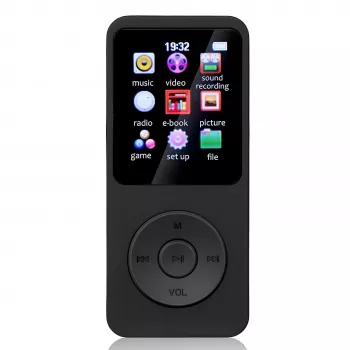
1.8″ Bluetooth MP3/MP4 Music Player with Recorder & Speaker: Pocket Audio for Music, Voice Notes, and Videos
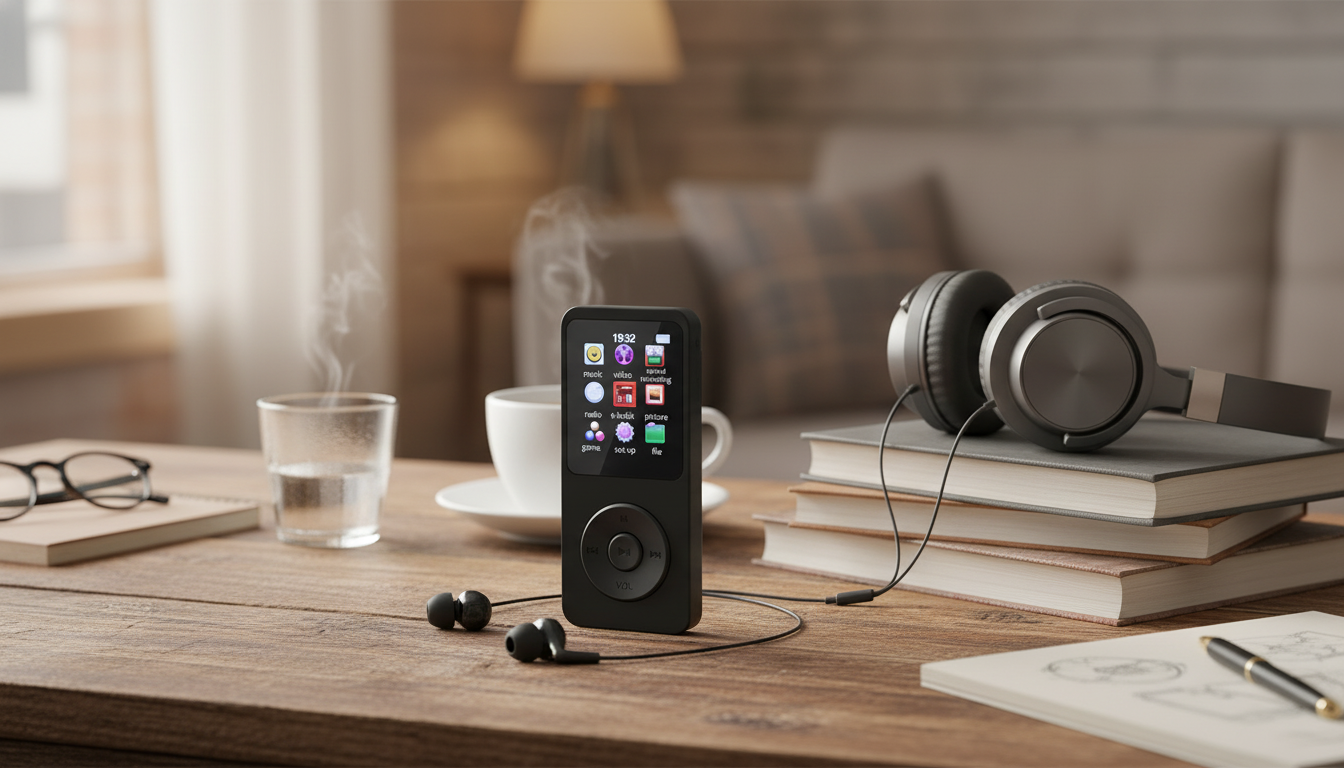
A compact player can feel noticeably easier than a phone for workouts, commutes, study sessions, and quick voice notes. A 1.8″ Bluetooth music player keeps offline playback, a built-in speaker, and recording in a lightweight format—handy when you want music and audio notes separated from nonstop notifications, feeds, and app distractions.
What It’s Best For
- Phone-free listening during walks, gym sessions, and errands
- Background audio at a desk using the built-in speaker
- Quick voice memos for classes, meetings, rehearsals, or personal reminders
- Kids’ or travel device for simple playback without social apps
- Basic video playback on a small screen when waiting or commuting
Key Features at a Glance
- 1.8″ color display for browsing media and viewing video content
- Bluetooth support for wireless headphones or speakers (range and codec depend on paired device)
- Built-in speaker for casual listening without accessories
- Voice recording function for memos and simple capture needs
- Portable design intended for pockets, bags, and travel kits
Quick Feature Checklist
| Feature |
What it means day to day |
Who benefits most |
| Bluetooth wireless playback |
Pairs with compatible earbuds/speakers to reduce cable clutter |
Commuters, gym users, travelers |
| Built-in speaker |
Plays audio out loud for short sessions or shared listening |
Students, desk listening, families |
| Recorder |
Captures voice notes when a phone isn’t ideal |
Students, presenters, musicians |
| 1.8″ screen |
Simple navigation and basic video viewing |
Anyone who wants a small media device |
| Offline files |
Keeps a local library without data use |
Travelers, parents, long flights |
Design and Controls: What to Expect From a Small Player
- Compact form factor designed to be carried easily
- Small display favors quick navigation over long viewing sessions
- Physical buttons are typically easier to use than touch controls during workouts or while walking
- Best practice: organize media into folders/albums for faster browsing on a smaller interface
Bluetooth Pairing and Wireless Listening
- Pairing usually follows the standard flow: enable Bluetooth, put headphones/speaker into pairing mode, select the device, then confirm connection.
- For fewer dropouts, keep the player and earbuds on the same side of the body and avoid shielding with thick clothing or bags.
- If audio stutters: re-pair the device, reduce distance, and power-cycle both devices.
- For car audio: connect via Bluetooth if supported; otherwise use available wired options on the car stereo if applicable.
Bluetooth behavior can vary slightly by device generation and profile support; for technical background, the Bluetooth Core Specification is the reference used across manufacturers.
Built-in Speaker: When It’s Useful (and When It Isn’t)
- Helpful for quick playback checks, podcasts at a desk, or sharing a short clip
- Small speakers prioritize portability, so bass and maximum loudness are limited compared with dedicated speakers
- For clearer sound in noisy environments, switch to headphones or a larger Bluetooth speaker
- Respect shared spaces: use moderate volume in public areas
Recording: Voice Memos and Practical Tips
- Best suited for close-range voice capture (notes, reminders, simple interviews)
- For clearer recordings: record in a quiet room, face the mic, and keep a steady distance
- Create a naming and folder habit (date/topic) to make recordings easy to find later
- For lectures: place the player closer to the speaker and minimize handling noise
A small habit that pays off: after each session, do a 5–10 second playback check to confirm volume and clarity before recording something longer.
Music and Video Playback: Simple Media on the Go
- Audio playback is ideal for playlists, albums, audiobooks, and podcasts stored locally
- Video playback works best for short clips due to the small screen size
- For a smoother library experience: keep file names clean, avoid overly long titles, and group content into folders
- If a file won’t play, it may be due to format/encoding; converting to a more common format often resolves compatibility issues
Battery and Charging Habits That Help
- Wireless playback typically uses more power than wired listening, so battery life can vary by volume and connection stability
- Lower screen brightness (if adjustable) and shorter screen-timeouts can extend runtime
- Avoid fully draining the battery repeatedly; topping up earlier can help long-term performance
- Use a reputable charger and cable, and avoid extreme heat while charging
For general device safety guidance around charging practices, see UL Standards & Engagement resources at ULSE.org.
Setup Checklist: From Unboxing to First Playlist
Common Issues and Quick Fixes
Product Option Available
Also In Stock
FAQ
Can it play music through Bluetooth earbuds and also use the built-in speaker?
It typically outputs audio to one destination at a time: either a paired Bluetooth device or the internal speaker. When Bluetooth is connected, wireless audio usually takes priority; disconnect Bluetooth to return to speaker playback.
Is the recorder good enough for lectures or meetings?
It’s well-suited for close-range voice notes and basic recording needs. For larger rooms, place it closer to the speaker and reduce background noise; dedicated recorders can perform better in challenging environments.
What should be done if a video or song won’t play?
Check whether the file format or encoding is supported, then convert the media to a more common compatible format if needed. Simplifying file names and re-copying the file can also help, and very high-resolution video may not be supported on small players.
Recommended for you


Leave a comment