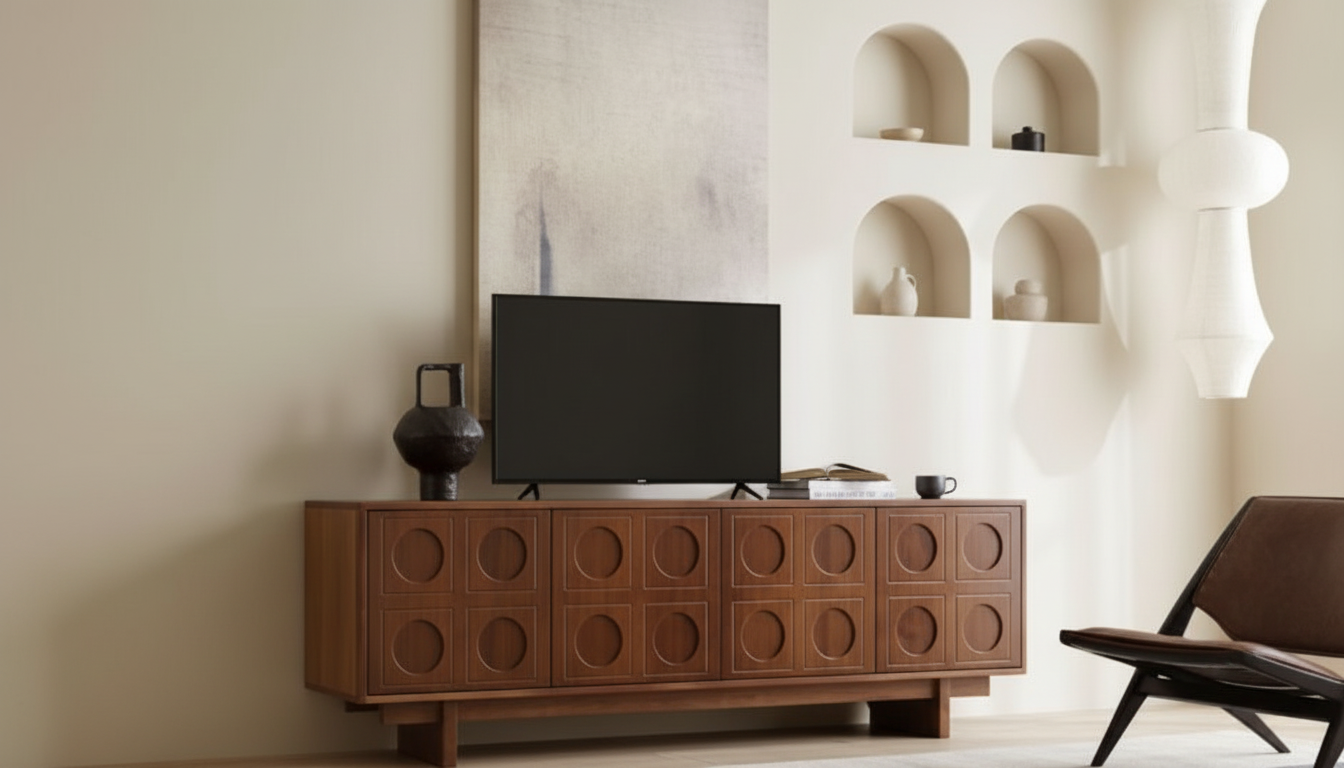
Clean lines, warm wood tones, and thoughtful storage can make a living room feel calmer without looking bare. A Scandinavian-style retro wooden TV stand brings that balance: minimal enough to keep the space light, and vintage-inspired enough to add character around the screen. The result is a media area that feels intentional—less like a “tech corner,” more like a finished part of the room.
Scandi-retro pieces earn their place by doing a lot with a little. The silhouette stays simple, but the details—wood grain, proportions, and leg height—give it personality.
If you’re looking for a centerpiece that blends into a calm palette while still offering character, consider the Scandinavian-Style Retro Wooden TV Stand.
Use the details below to confirm fit with the TV width, soundbar placement, and any consoles. When exact device sizes are close to the limit, choose extra breathing room for ventilation and cable access.
| Item to Check | Why It Matters | What to Measure Before Buying |
|---|---|---|
| TV width and stand footprint | Prevents overhang and wobble | TV stand width vs. cabinet top width |
| Soundbar height/length | Avoids blocking the screen or IR sensor | Soundbar height + TV bottom bezel clearance |
| Console/router depth | Ensures doors close and cables bend gently | Device depth including plugs |
| Cable routing | Cleaner look and safer setup | Outlet location + cord lengths |
| Ventilation | Reduces heat buildup | Air gaps behind devices and around vents |
A minimalist room still needs real-life storage—especially around the TV. The best retro-Scandi stands keep the front view clean while organizing the messier parts of daily use.
For a cleaner look, route power strips inside a cabinet (with airflow in mind), then bring only one main cord out to the wall. That single step can make the whole setup feel quieter.
The right stand can still feel “off” if it’s placed like an afterthought. A few small spacing choices can improve comfort, cable management, and the overall balance of the wall.
The goal is warm minimalism: calm, not sterile. Let wood grain and texture do the work instead of piling on small decor.
Keep the top surface functional: a single tray for remotes plus one sculptural object often looks more elevated than five small items scattered across the width.
For quick touch-ups around the media area (especially baseboards and under raised legs), the Powerful Cordless Handheld Vacuum Cleaner with LED Light & 40-Min Runtime can help keep dust from building up behind devices and cords.
If sustainability and indoor air quality are priorities, look for responsibly sourced wood and low-emission composite materials. The Forest Stewardship Council (FSC) explains responsible forestry practices, and the U.S. EPA’s formaldehyde standards outline emissions rules for composite wood products.
A good rule of thumb is choosing a stand that’s at least a few inches wider than the TV on both sides for visual balance and stability. If the TV is wall-mounted, you can be slightly more flexible, but a wider stand still helps anchor the wall.
Yes, as long as there’s enough airflow to prevent heat buildup and you can route cables without sharp bends. Leave ventilation gaps, use cable cutouts, and consider keeping frequent-use devices in open sections if doors interfere with signals or heat.
Bundle and label cords, use removable ties, and leave a small service loop so devices can slide out without unplugging everything. Routing through grommets or simple cable channels keeps the look clean while still allowing easy swaps later.





Leave a comment