Kids Adjustable Study Desk & Chair: Tilt Top + LED Light
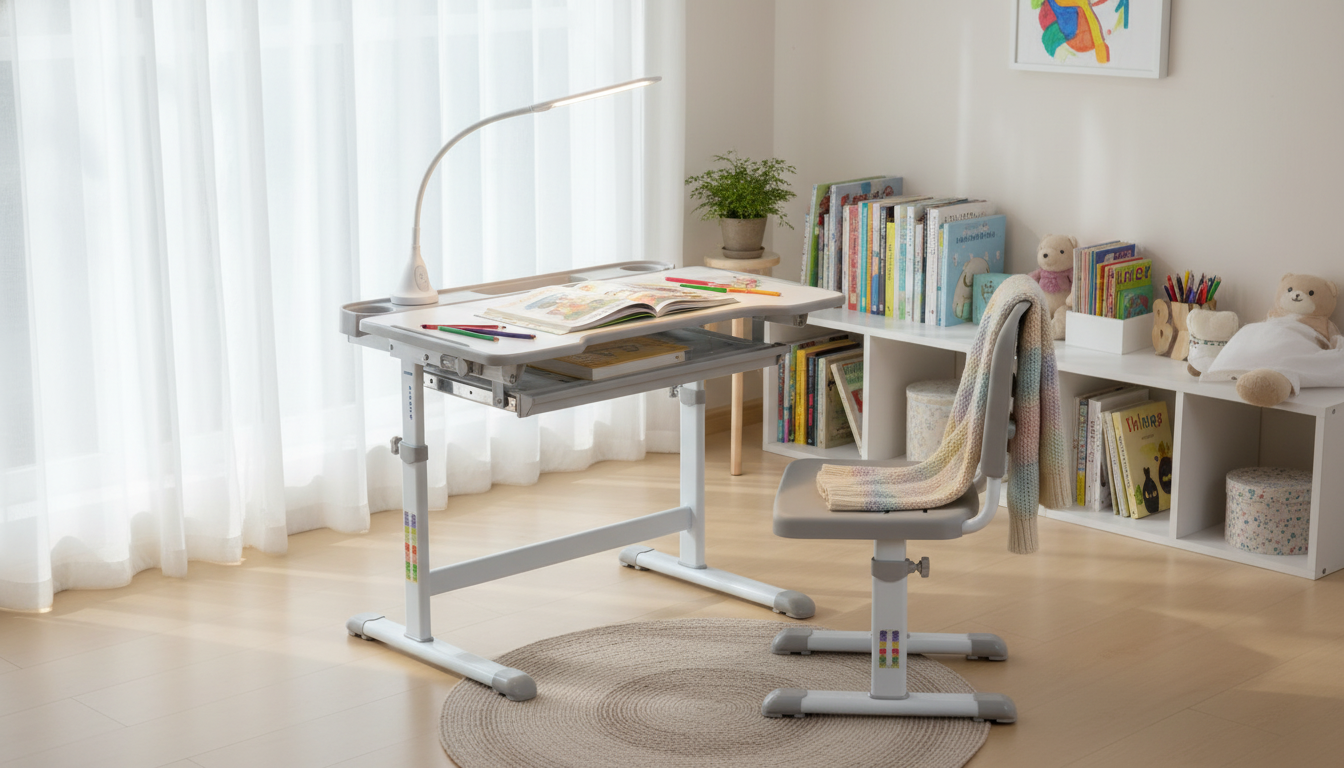
Height Adjustable Kids Study Desk and Chair Set with Tilt Desktop & LED Light
A dedicated study spot can make homework, reading, and creative projects feel easier and more comfortable. A height-adjustable desk and chair set with a tilting desktop and built-in LED light supports healthier posture, reduces page shadows, and adapts as a child grows—without taking over the whole room.
What makes this desk-and-chair set different
Kids’ study furniture works best when it fits the child (not the other way around). This set is designed to keep the desk-to-chair relationship consistent while adding features that make everyday tasks more comfortable.
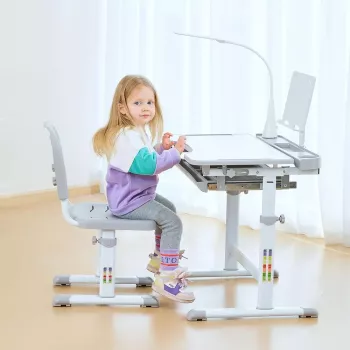
- Height-adjustable desk and chair help maintain a comfortable sitting position as children grow.
- Tilting desktop supports reading, writing, and drawing by bringing the work surface closer to eye level.
- Integrated LED light improves task visibility and can help reduce shadows on the page.
- Kid-focused sizing makes it suitable for bedrooms, study corners, and small playrooms.
- All-in-one set keeps the chair-to-desk fit consistent (less guesswork than mixing separate pieces).
Fit and ergonomics: getting the height right
A good fit is the foundation of comfort. When the chair and desk are set correctly, kids tend to sit with less slouching, keep their shoulders relaxed, and spend less time craning their necks toward the page. Ergonomic guidance for workstations emphasizes neutral posture and proper positioning—principles that translate well to kids’ study setups too (see NIOSH workstation positioning).
- Set desk height so forearms rest comfortably on the surface with shoulders relaxed (avoid shrugging).
- Adjust chair height so feet can rest flat; if feet dangle, add a stable footrest.
- Aim for hips and knees near a right angle and keep the back supported during longer sessions.
- Re-check fit every few months—small height changes can noticeably affect posture and comfort.
- Encourage regular breaks and posture resets, especially during screen-based learning.
Quick setup checklist for everyday comfort
| Area | What to look for | Simple fix |
|---|---|---|
| Chair height | Feet flat and stable | Lower chair or add a footrest |
| Desk height | Elbows comfortable, shoulders relaxed | Adjust desk height until arms rest naturally |
| Desktop tilt | Neck not bent forward for reading | Increase tilt slightly for books/drawing |
| Lighting | Page is evenly lit without harsh glare | Reposition LED angle or reduce room backlight glare |
Tilting desktop: when to use it (and when to keep it flat)
A tilting desktop can be a quiet game-changer for kids who do lots of handwriting or reading. It brings the page up, which can help reduce “chin-to-chest” posture and keep the gaze closer to straight ahead.
- Use a slight tilt for writing to reduce wrist strain and improve sightline to the page.
- Use a larger tilt for reading or drawing to bring materials closer and minimize neck bending.
- Keep the desktop flat for building projects, crafts, or when using devices that require stability.
- If using a laptop or tablet, consider a flatter angle and ensure the screen is not forcing a downward head tilt.
- Remind kids to keep items secured when the surface is tilted (use book stops or grips if included).
A helpful routine is to start flat, then adjust: tilt up for reading, reduce to a mild angle for handwriting, and return flat for anything that needs a steady base (like LEGO builds or science projects).
Built-in LED light: better visibility without harsh glare
Lighting affects comfort more than it gets credit for. Uneven lighting can cause kids to lean closer, twist their torso to “find” a brighter spot, or squint at lower-contrast text. Practical eye-comfort tips—including reducing glare and taking breaks—are echoed in guidance such as the Mayo Clinic’s eyestrain recommendations.
- Angle the LED so light falls across the work surface instead of shining into the eyes.
- For right-handed writers, place light from the left side when possible to reduce hand shadows (reverse for left-handed).
- Pair task lighting with gentle room lighting to avoid strong contrast that can cause eye fatigue.
- Keep the light lens clean for consistent brightness and to prevent dull, uneven illumination.
- If the child is sensitive to brightness, start lower and adjust upward only as needed.
If evening homework happens in a darker corner, the built-in light can keep the page visible without relying on a separate lamp that takes up desk space.
Safety, stability, and daily durability
Who this set is best for
Product details and where to find it
If the goal is one dependable homework station that can adjust as routines and growth change, the Height Adjustable Kids Study Desk and Chair Set with Tilt Desktop & LED Light is a practical choice.
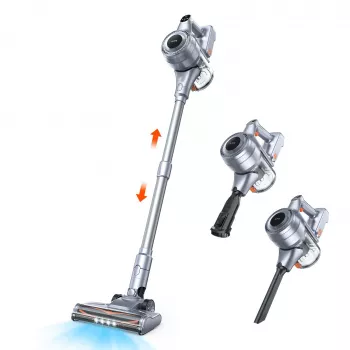
To keep the study area tidy (especially after pencil shavings, eraser crumbs, or craft time), consider pairing the setup with a compact cleanup tool like the Powerful Cordless Handheld Vacuum Cleaner with LED Light & 40-Min Runtime.
FAQ
What age range does a height-adjustable kids desk and chair set typically fit?
Most adjustable sets are designed to span multiple growth stages, often from early elementary through pre-teen years. The best fit is confirmed by posture basics: feet supported, hips and knees comfortably bent, and shoulders relaxed when hands rest on the desk.
Is a tilting desktop better for handwriting and reading?
For many kids, yes—moderate tilt can improve the sightline to the page and reduce neck bending during reading and writing. A flat surface is still helpful for building projects or when a device needs a stable base, and materials should be secured when the top is angled.
How should the LED desk light be positioned to reduce glare?
Aim the light toward the page rather than the eyes, and position it to minimize hand shadows (left side for right-handed writers, and vice versa). Use gentle room lighting as well to avoid harsh contrast that can tire the eyes.












Leave a comment