Install a Desktop UF Membrane Filter on Any Faucet
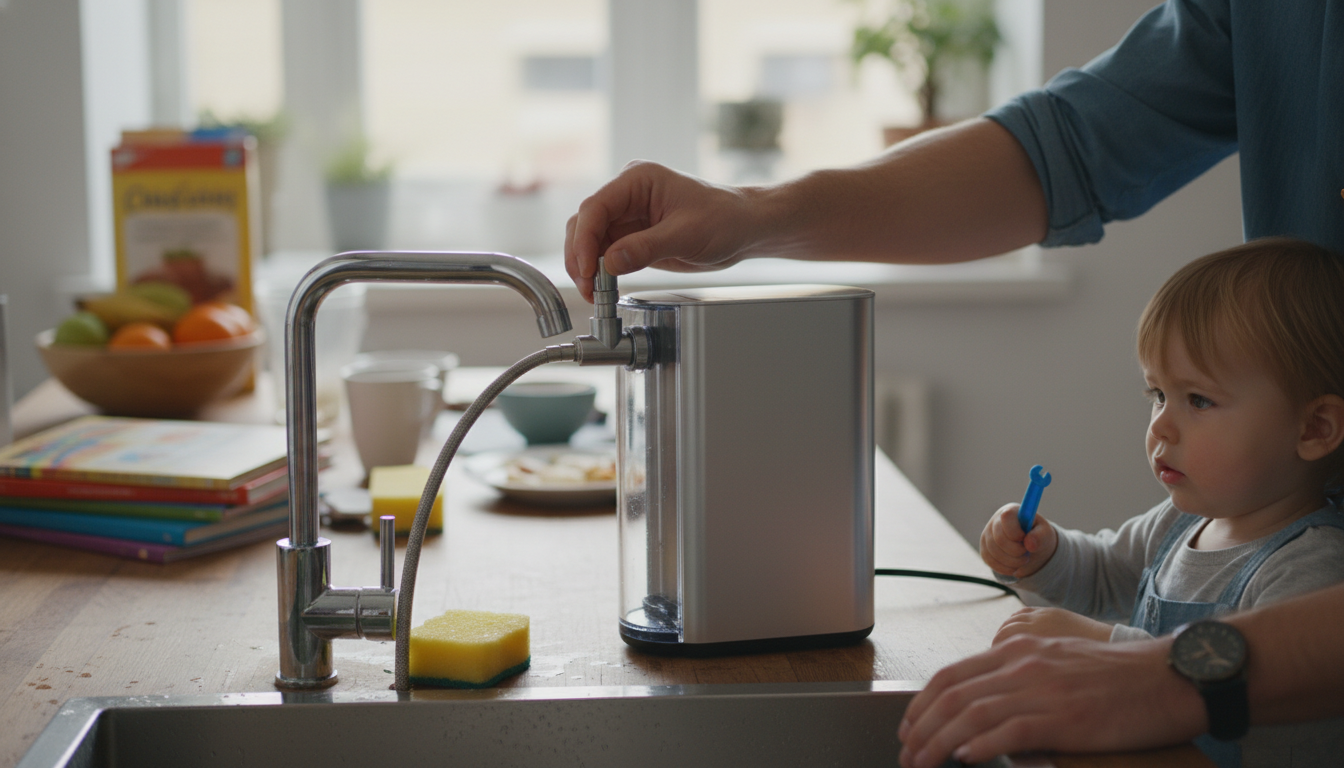
How do I install a desktop UF membrane water purification system on a standard faucet?
Most desktop UF membrane water purification systems are designed for quick, non-permanent installation, using a faucet diverter valve (also called a faucet adapter) to switch between tap water and filtered water. Before starting, confirm your faucet type (standard threaded aerator, pull-out sprayer, or specialty/non-threaded) and make sure the kit includes the correct adapter size.
Step-by-step installation
1) Gather what you need. You’ll typically use the included diverter valve, adapters, washers/O-rings, tubing, and the system’s inlet/outlet ports. Keep a towel handy to catch drips.
2) Remove the faucet aerator. Unscrew the aerator at the tip of the faucet. If it’s tight, use a rubber jar gripper to avoid scratching the finish. Set the aerator parts aside.
3) Install the diverter valve (faucet adapter). Choose the adapter that matches your faucet threads (common sizes are 15/16″-27 or 55/64″-27). Insert the correct washer/O-ring, then hand-tighten the diverter onto the faucet. Avoid over-tightening; a snug seal is usually enough.
4) Connect the inlet tubing. Attach the tubing from the diverter’s “in”/supply port to the purifier’s inlet. Push-fit connections should click firmly into place; compression fittings should be tightened evenly. Give the tube a gentle tug to confirm it’s secure.
5) Position the filtered water outlet. Depending on your model, filtered water may exit via a dedicated spout, a return line, or a pitcher/faucet attachment. Place the unit on a stable, level surface near the sink and route tubing so it won’t kink.
6) Flush and check for leaks. Turn on cold water slowly, switch the diverter to send water through the system, and flush for the time recommended by the manufacturer (often several minutes). Inspect every connection and re-seat washers or tubing if you see drips.
Troubleshooting quick fixes
If you get a slow flow, confirm the diverter is fully switched, the tubing isn’t pinched, and the UF cartridge is properly seated. If water leaks at the faucet adapter, the washer may be missing, upside down, or mismatched to the thread type.
For a deeper walkthrough on UF filtration performance, setup tips, and maintenance, visit this desktop UF membrane water filter guide.
FAQ
Do UF membrane water filters remove chlorine and bad taste?
UF membranes primarily block fine particles and many microbes, but chlorine and taste/odor are typically handled by an activated carbon stage. If your unit includes carbon, it can significantly improve taste and reduce chlorine.














Leave a comment